
如何创建 Bounding Polygon Annotation Tool
If you need to create client side configuration to determine the location of objects, for example for your model training, then this post is for you. In this blog I will show you how you can create a user draw polygon shaped bounding box annotation in images or videos using React and Konva.
如果您需要创建客户端配置来确定对象的位置,例如用于模型训练,那么这篇文章适合您。在这篇博客中,我将向您展示如何使用 React 和 Konva 在图像或视频中创建用户绘制的多边形形状边界框标注。
Introduction
介绍
The idea is, in many computer vision projects we need to have information about the coordinates of the object.
这个想法是,在许多计算机视觉项目中,我们需要获取对象坐标的信息。
In this blog I am going to create a minimal react application to draw polygon bounding annotation area to configure the coordinates of the object in the image.
在这篇博客中,我将创建一个最小的 react 应用程序,用于绘制多边形边界标注区域,以配置图像中对象的坐标。
First of all, to perform drawing on images we need canvas object, for this I used Konva.js. It is an open source library for HTML5 Canvas 2d context. If you don't know what canvas is... it is an HTML5 element and it is a place to draw graphics, animation, photo manipulation, video processing etc. Doing complex tasks on canvas requires lots of consideration, but thanks to Konva.js it is more easy. Konva.Stage is the container for the layers. Konva.Layer is the canvas element. Layers can contain shapes, groups of shapes, or groups of other groups. The stage, layers, groups, and shapes are all virtual nodes, similar to DOM nodes in an HTML page. Konva gives draggable properties to shapes and groups. It also gives the ability to resize and rotate functionality to nodes with Transformer.
首先,要在图像上进行绘图,我们需要 canvas 对象,为此我使用了 Konva.js。它是一个用于 HTML5 Canvas 2d 上下文的开源库。如果您不知道 canvas 是什么……它是一个 HTML5 元素,是绘制图形、动画、照片处理、视频处理等的场所。在 canvas 上执行复杂任务需要大量考虑,但得益于 Konva.js,它变得更加容易。Konva.Stage 是容纳图层的容器。Konva.Layer 是 canvas 元素。图层可以包含形状、形状组或其他组。舞台、图层、组和形状都是虚拟节点,类似于 HTML 页面中的 DOM 节点。Konva 为形状和组提供了 draggable 属性。它还通过 Transformer 为节点提供了调整大小和旋转功能。
Final Code
最终代码

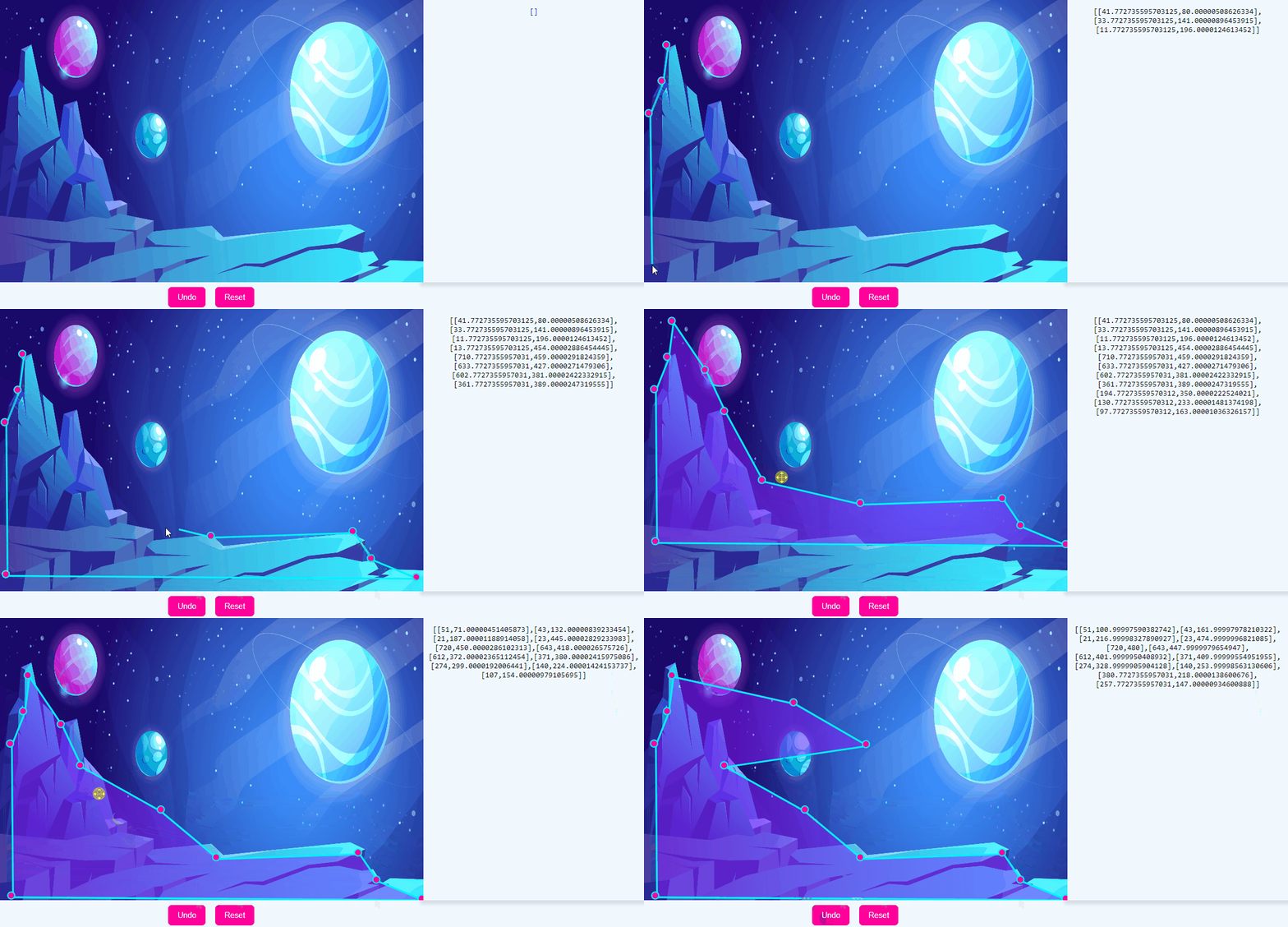
Bounding Polygon Annotation On An Imaginary Landscape
想象景观上的边界多边形标注
You can find source code of the sample react application from here. Se...